WordPress 7.1.5 Security Release: What Small Business Owners Need to Do Now
Your WordPress site does not have to be a high-profile target to be affected by a core security release. On November 18, 2026, WordPress published version 7.1.5 and recommended that site owners update immediately. The official announcement describes a short-cycle security release with fixes for multiple issues in WordPress itself.
If you run a small-business website, this update is easy to postpone and expensive to ignore. Here is what 7.1.5 changes, why it matters, and how to apply it safely.
What the WordPress 7.1.5 Release Includes
WordPress 7.1.5 is a security release. You can install it from Dashboard → Updates, or download it from WordPress.org. Sites that already allow automatic background updates should start receiving it on their own.
The official release post lists 20 security updates. Two of those items are described as hardening measures: one tightens a regular expression that had broadened how WordPress matches JSON media types, and the other removes the block editor’s Imgur embed variation after Imgur’s server-side provider was already gone. The remaining items fix vulnerabilities in WordPress core.
WordPress also notes that 7.1.5 is a short-cycle release. The next major version, 7.2, is planned for December 8, 2026, so this is a patch meant to close known security gaps now, not a feature drop to hold for the next big upgrade.
The Kinds of Issues This Update Addresses
The official list covers several familiar classes of web vulnerabilities. We are summarizing only what WordPress has confirmed, without adding severity scores the project did not publish.
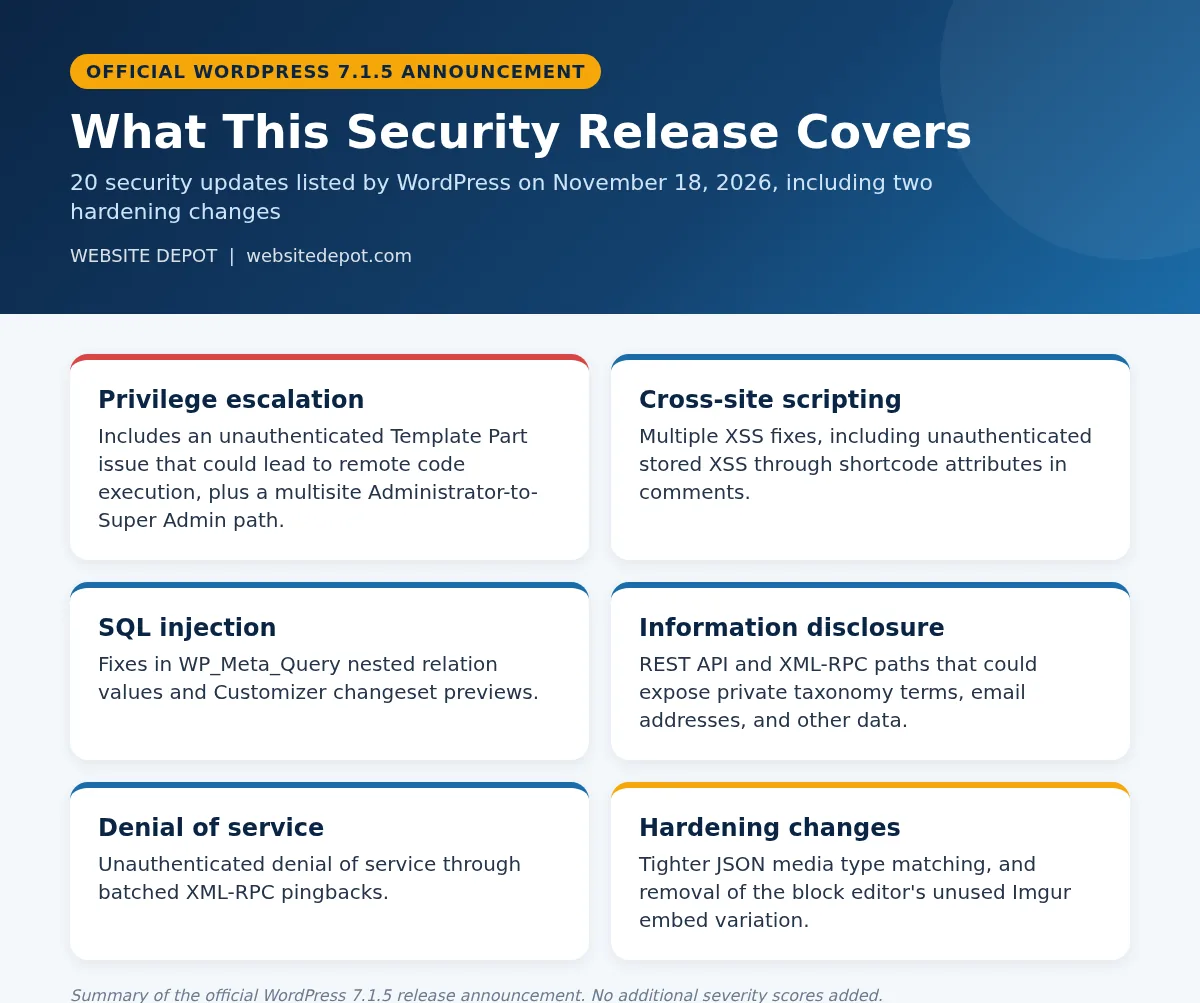
- Cross-site scripting (XSS). The release closes several XSS paths in the legacy media library, Interactivity API, oEmbed responses, Customizer previews and the block editor. One public-site fix covers stored XSS in comments, triggered through shortcode attributes, with no login required. If that comment is later opened, the script can run for other people on the site, including an administrator.
- SQL injection. WordPress fixed SQL injection in WP_Meta_Query when nested relation values are involved, and another issue tied to the front page setting in Customizer changeset previews.
- Information disclosure. Closed paths include private taxonomy terms visible without a login through the REST API search endpoint, user email addresses visible to Authors and above, extra author-assignment details visible to Editors, and comment data visible to Subscribers through XML-RPC
wp.getComments. - Privilege escalation and authorization bypass. In a multisite network, Customizer menu previews created a path for a site-level Administrator to take over a Super Admin account. Authors and higher-privileged users could also bypass normal authorization when editing comments in the admin. Most serious of all, WordPress reports an unauthenticated privilege escalation through Template Part block attributes that, according to the project, could result in remote code execution.
- Denial of service. The release also patches an unauthenticated problem with batched XML-RPC pingbacks that could overwhelm a site and keep visitors from reaching it.
Several of these issues can be reached without a login, so waiting is a poor fit for 7.1.5.
Why Small-Business Owners Should Update Now
WordPress recommends updating immediately because this is a security release. That advice is not aimed only at large publishers. Smaller sites often have fewer people watching the dashboard, older plugins sitting alongside core, comments left open, and no staging site for “when we have time.”
- Some of the fixed issues do not require an account. If comments, XML-RPC, the REST API or certain blocks are available on your site, a simple brochure website is not automatically out of scope.
- The Template Part issue starts with an unauthenticated visitor and, in WordPress’s description, can escalate privileges far enough to run code on the server. That is urgent for any public site.
- If you host more than one site on a multisite network, treat this update as especially important because of the Administrator-to-Super Admin path described above.
- WordPress is backporting the security fixes to every branch still eligible for them, through version 4.7. Those backports “are in progress and will ship as they become ready.” Only the current WordPress release is actively supported, so older sites should apply the matching security release and plan a move to a supported version.
Waiting also creates avoidable business risk. A compromised site can lose form submissions, trigger browser warnings, slip in search or need an emergency cleanup. Updating now is almost always cheaper than recovering later.
How to Update to 7.1.5 Safely
A security release should be applied promptly, but that does not mean clicking Update Now on a live site with no backup. Here is the sequence we recommend for business sites.
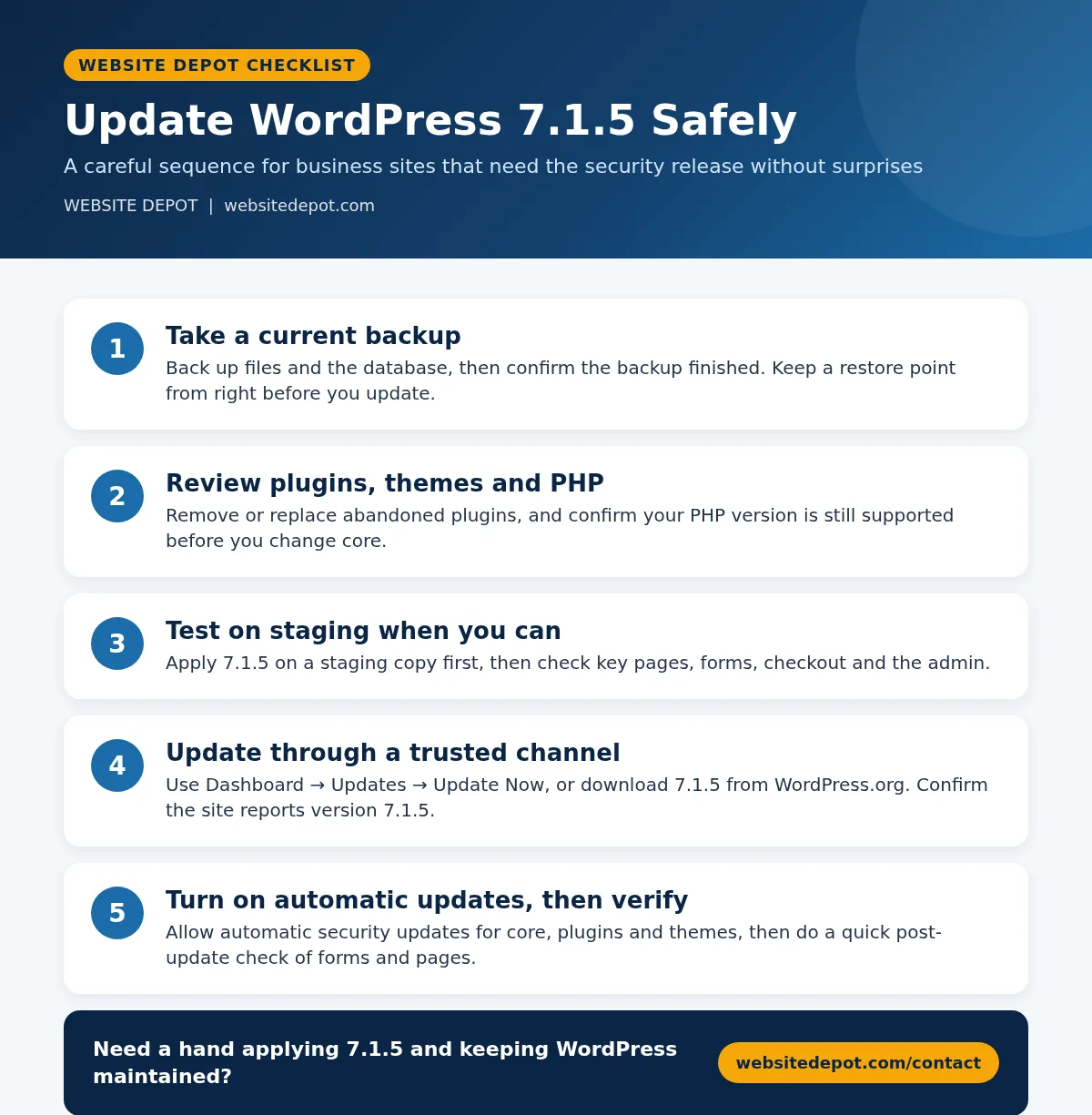
1. Take a current backup
Back up both the files and the database, and confirm the backup completed. Even if your host already runs nightly backups, take a fresh one so you have a restore point from right before the update.
2. Review plugins, themes and PHP first
Review your plugin and theme list before you touch core. Pause or replace anything that is abandoned, unneeded or showing compatibility warnings, and confirm your PHP version is still supported. After 7.1.5 is in place, apply any waiting plugin or theme updates, then test again.
3. Use a staging site when you can
If you have staging, apply 7.1.5 there first. Then check the home page, service pages, contact or quote form, checkout if you have one, login, and the admin tools you use. If you do not have staging, update during a short window and do that same walk-through on the live site right afterward.
4. Apply the update through a trusted channel
The safest path for most owners is the WordPress dashboard: Updates, then Update Now. You can also download 7.1.5 from WordPress.org. Skip unofficial zip files. Afterward, confirm the dashboard reports version 7.1.5 and that key forms still send email.
5. Turn on automatic updates, then keep watching
WordPress notes that sites with automatic background updates will begin installing 7.1.5 on their own. Turning on automatic updates for core security releases, plugins and themes shrinks the window between a fix being published and your site receiving it. They are not a substitute for backups or a quick post-update check, and they will not move you off an unsupported WordPress or PHP version by themselves.
Let Website Depot Handle the Maintenance
At Website Depot, we treat security releases like 7.1.5 as ordinary care for a business website, not something you have to handle alone. If you would rather have a team take the backup, apply the update, check your forms and pages, and keep auto-updates in good order, contact Website Depot and we will help you get 7.1.5 in place and keep WordPress maintained going forward.